

Key Takeaways
Start here
What Is OBD-II and Why Does It Matter?
Gather your tools
What You Need Before You Start
Do it
How to Pull Codes Step by Step
Understand results
Decoding What the Codes Actually Mean
Take action
After You Read the Codes: Next Steps
What Is OBD-II and Why Does It Matter?
OBD-II stands for On-Board Diagnostics, second generation - the standardized self-monitoring system built into every passenger vehicle sold in the United States since 1996. When a sensor detects that something is operating outside its acceptable range, the system logs a Diagnostic Trouble Code (DTC) and, in many cases, illuminates the check-engine light on your dashboard.
Before OBD-II, each automaker used its own proprietary system, which meant only dealers with specialized equipment could read fault data. The federal mandate for a universal standard changed that entirely. Today, any compatible scanner - including inexpensive consumer models - can communicate with your vehicle's onboard computer through a single standardized port.
For budget-conscious drivers, this matters enormously. A shop may charge $80-$150 just to read and interpret codes. Doing it yourself first lets you show up informed, cross-reference what you're told, and avoid paying for a diagnosis you've already performed. See our car troubleshooting hub for a broader picture of how to interpret vehicle symptoms before you reach for a scanner.
OBD-II
On-Board Diagnostics, second generation - the federally standardized self-monitoring system built into all US vehicles from 1996 onward that tracks sensor data and logs fault codes.
Diagnostic Trouble Code (DTC)
A five-character alphanumeric code stored by the vehicle's computer when a sensor or system reading falls outside its acceptable range.
ECU (Engine Control Unit)
The main onboard computer that processes sensor data, controls engine functions, and stores diagnostic codes.
Pending Code
A fault that the system has detected at least once but hasn't confirmed as a recurring problem yet; it may not illuminate the check-engine light until it triggers again.
Generic vs. Manufacturer-Specific Code
Generic codes (second digit '0') are standardized across all OBD-II vehicles; manufacturer-specific codes (digit '1' or '2') are unique to a particular automaker and may need brand-level tools to interpret.
Live Data Stream
Real-time sensor readings - such as engine temperature or oxygen sensor voltage - that more advanced scanners can display while the vehicle is running.
What You Need Before You Start
The barrier to entry is low. You need two things:
- An OBD-II scanner or adapter. A basic handheld code reader works perfectly for this task. Alternatively, a Bluetooth OBD-II adapter paired with a compatible smartphone app delivers the same core function. Look for one that explicitly states OBD-II compliance.
- Your vehicle. Confirm it's a 1996 or newer US-market vehicle. Most light trucks, SUVs, and passenger cars in this range are covered.
No tools, no jacking the car up, and no mechanical disassembly required. The entire process happens from the driver's seat.
Borrow Before You Buy
Many auto parts retailers offer free code-reading services at the counter, and some allow short-term tool loans through in-store lending programs. If you only need to read codes once or twice a year, borrowing can save you the cost of purchasing a scanner outright.
How to Pull Codes Step by Step
Follow these steps carefully the first time through:
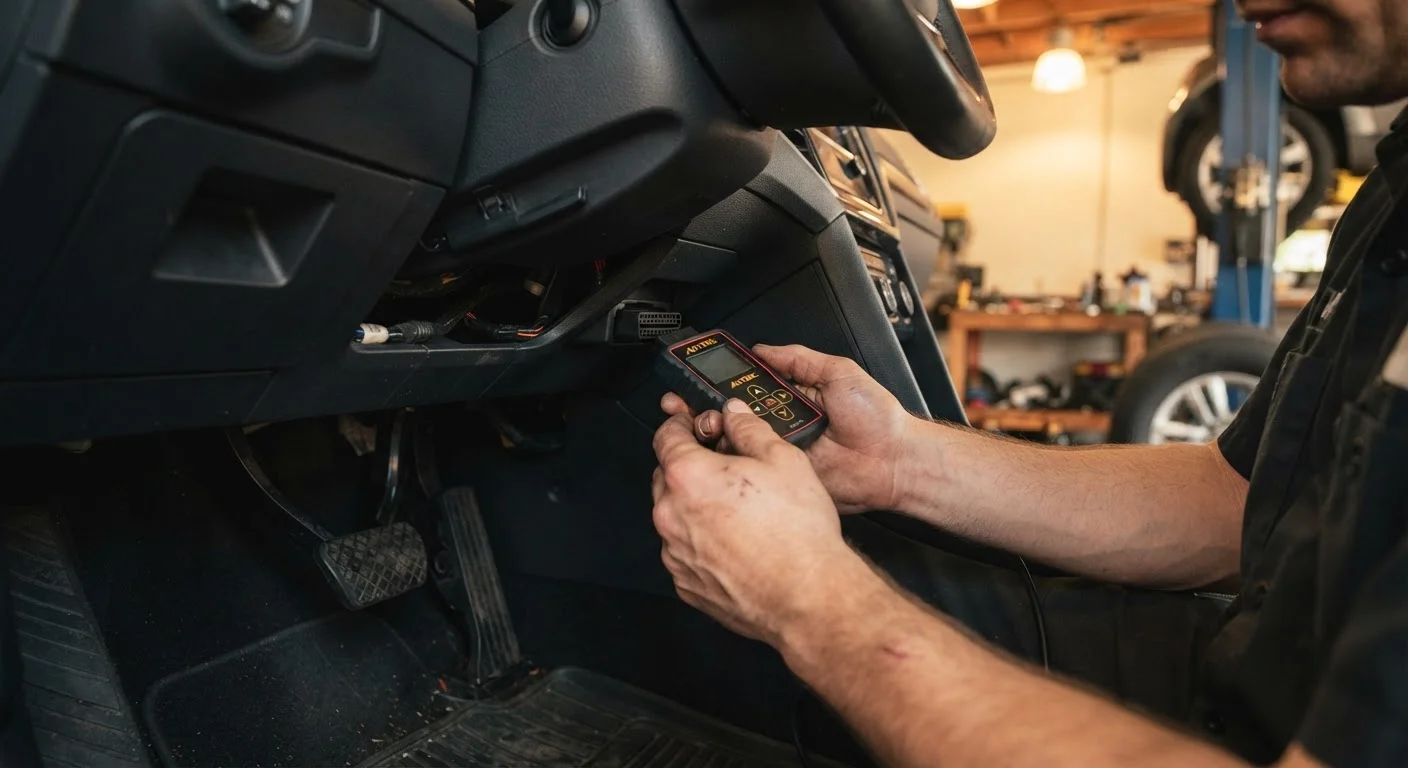
- Locate the OBD-II port. It's a 16-pin, trapezoid-shaped connector typically found under the dashboard on the driver's side near the steering column.
- Turn the ignition to the 'ON' position without starting the engine. This powers the vehicle's electronics without running the motor.
- Plug in your scanner. It should power on automatically once connected. If using a Bluetooth adapter, open your paired app on your phone.
- Select 'Read Codes' or equivalent. The scanner will communicate with your vehicle's ECU (Engine Control Unit - the car's main computer) and display any stored DTCs.
- Write down every code shown. Note whether each is a stored code (a past fault) or a pending code (an intermittent issue the system is still monitoring).
- Do not clear codes yet. Preserve the data until you understand what each code means.
Decoding What the Codes Actually Mean
Every DTC follows the same five-character format: one letter followed by four numbers (e.g., P0300).
| First character | System |
|---|---|
| P | Powertrain (engine, transmission) |
| B | Body (airbags, power windows) |
| C | Chassis (ABS, steering) |
| U | Network/communication systems |
The second character tells you whether the code is generic (0 = applies to all OBD-II vehicles) or manufacturer-specific (1 or 2 = may require a more advanced tool to interpret fully).
The remaining three digits identify the specific fault. For example, P0171 means the powertrain system has detected a lean fuel condition on Bank 1. Free databases such as those maintained by the National Highway Traffic Safety Administration (NHTSA) or reputable automotive reference sites let you look up any generic code by number.
Keep in mind: a code identifies a symptom in a circuit or system, not a guaranteed failed part. A P0420 catalyst-efficiency code could point to a faulty oxygen sensor, an exhaust leak, or a worn catalytic converter. Proper diagnosis still requires inspection.
Don't Clear Codes Before a Shop Visit
Clearing codes resets your vehicle's readiness monitors - the internal checks the ECU uses to confirm systems are functioning correctly. If you clear codes and then take the car in for an inspection or emissions test, the monitors may show as 'incomplete,' potentially causing a test failure even if the underlying issue has been addressed.
After You Read the Codes: Next Steps
Once you have your codes written down and looked up, you're in a much stronger position than most drivers who walk into a shop. Here's how to move forward:
- Research the code. Understand which system is flagged and what the common causes are. This shapes the questions you ask a mechanic.
- Check the easy stuff first. A P0455 large evaporative emission leak code, for instance, is frequently caused by nothing more than a loose gas cap - tighten it, drive a few cycles, and see if the light clears on its own.
- Document everything. Before heading to a shop, use a structured approach to note your findings. Our pre-mechanic inspection checklist walks you through exactly what to record.
- Know when to hand it off. Codes involving the transmission, ABS, airbag systems, or any flashing check-engine light warrant professional attention. Don't attempt repairs on safety-critical systems without the proper expertise.
Understanding your car's maintenance schedule can also help you put codes in context - a neglected tune-up interval, for example, is a common contributor to misfire codes. Our maintenance schedule guide explains each service milestone in plain language.
Reading your own codes won't replace a qualified mechanic, but it gives you the information to be a more informed, confident, and cost-aware vehicle owner.