

Key Takeaways
Saves time by automating code-testing at checkout
Instead of manually searching and entering codes one by one, the extension tests its database automatically in seconds - recovering savings you might otherwise skip.
Passive activation requires no user effort
The extension fires on supported retailer checkout pages without any trigger from you, making it useful even when you forget to look for discounts.
Often surfaces codes not easily found via search
Extensions with retailer partnerships may have access to codes that aren't posted on public aggregator sites, giving them a marginal inventory advantage in some cases.
Reduces friction compared to manual aggregator sites
Manual code-hunting on coupon aggregator sites often yields expired codes. Automated testing filters these out before they affect your checkout experience.
Can void cashback by overwriting tracking cookies
If a cashback portal's tracking cookie is overwritten by the extension during checkout, your cashback claim may be denied - a loss that can exceed the coupon's value on larger purchases.
Database coverage is incomplete and inconsistent
Smaller retailers, niche stores, and codes distributed through private channels (email, loyalty programs) are frequently absent from the extension's database.
Cannot interpret code exclusions or restrictions
An extension applies whichever code shows the largest nominal discount, but it cannot read fine print - sale items, specific categories, or minimum cart values may invalidate the result.
Privacy trade-offs involve browsing data collection
Most free extensions are funded by affiliate commissions or data licensing, meaning your shopping behavior may be tracked, stored, and shared with third parties.
May apply a lower-value code over a better manual option
Extensions only test codes in their database; a better code found through a retailer's email list or loyalty account won't be surfaced, and the extension may lock in a lesser discount first.
Our Verdict
Automatic coupon extensions are a legitimate time-saver for routine, lower-stakes purchases where code-hunting would otherwise eat minutes for modest gains. They are not a complete savings system on their own - their code databases are incomplete, their privacy trade-offs are real, and they can actively interfere with cashback tracking if used carelessly. Treat them as one layer in a broader checkout routine, not the whole routine.
Shoppers making frequent small-to-mid-range online purchases who want passive savings without building a full manual verification habit - provided they understand the cashback conflict risk and have read the extension's data policy.
How Automatic Coupon Extensions Actually Work
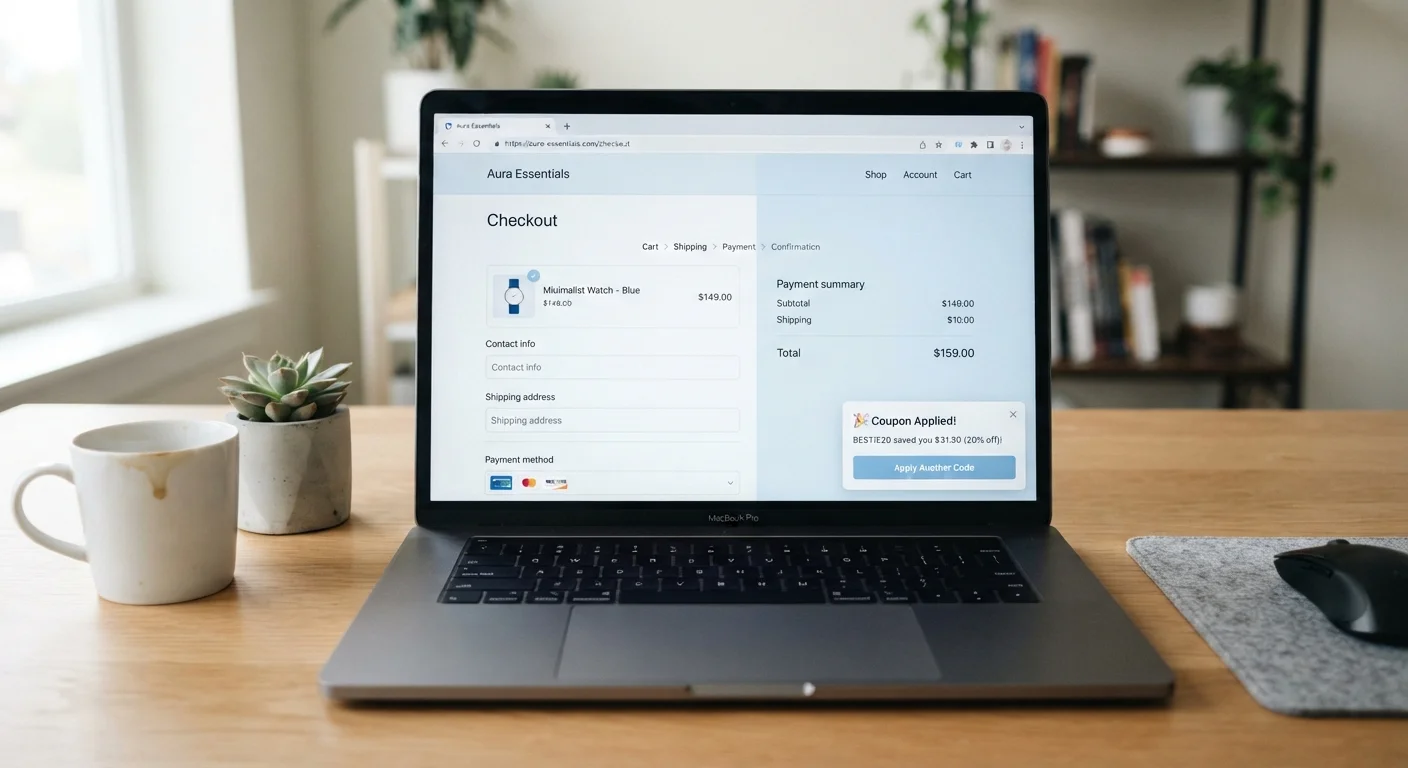
When you land on a supported retailer's checkout page, a browser coupon extension detects the domain and queries its internal database for associated promo codes. It then runs those codes sequentially against your cart - applying whichever produces the largest discount - and discards the rest. The whole process typically takes a few seconds and requires no input from you.
The database itself is built from several sources: retailer partnerships (in which a merchant shares codes directly), user-submitted codes, and automated web crawling of public coupon pages. This means code quality varies considerably. Partnered retailer codes tend to be current and valid; scraped codes can be expired, store-specific, or simply wrong.
To understand how these extensions fit alongside other tools, it helps to first know how coupons, promo codes, and cashback each work - they are distinct mechanisms, not interchangeable labels.
The Real Advantages
Saves time by automating code-testing at checkout
Instead of manually searching and entering codes one by one, the extension tests its database automatically in seconds - recovering savings you might otherwise skip.
Passive activation requires no user effort
The extension fires on supported retailer checkout pages without any trigger from you, making it useful even when you forget to look for discounts.
Often surfaces codes not easily found via search
Extensions with retailer partnerships may have access to codes that aren't posted on public aggregator sites, giving them a marginal inventory advantage in some cases.
Reduces friction compared to manual aggregator sites
Manual code-hunting on coupon aggregator sites often yields expired codes. Automated testing filters these out before they affect your checkout experience.
For shoppers who previously skipped the code-hunting step entirely, these extensions recover savings that would otherwise be left on the table with zero effort. The passive nature is the genuine differentiator: the extension fires whether or not you remembered to search for a code.
They also reduce the frustration of manually testing codes from aggregator sites, many of which are expired. Automated testing at checkout is faster and less error-prone than copying codes one at a time.
The Significant Limitations
Can void cashback by overwriting tracking cookies
If a cashback portal's tracking cookie is overwritten by the extension during checkout, your cashback claim may be denied - a loss that can exceed the coupon's value on larger purchases.
Database coverage is incomplete and inconsistent
Smaller retailers, niche stores, and codes distributed through private channels (email, loyalty programs) are frequently absent from the extension's database.
Cannot interpret code exclusions or restrictions
An extension applies whichever code shows the largest nominal discount, but it cannot read fine print - sale items, specific categories, or minimum cart values may invalidate the result.
Privacy trade-offs involve browsing data collection
Most free extensions are funded by affiliate commissions or data licensing, meaning your shopping behavior may be tracked, stored, and shared with third parties.
May apply a lower-value code over a better manual option
Extensions only test codes in their database; a better code found through a retailer's email list or loyalty account won't be surfaced, and the extension may lock in a lesser discount first.
The most consequential limitation for budget-focused shoppers is the cashback conflict. Many cashback portals track your session through a browser cookie set when you click through from their site. Some coupon extensions inject their own tracking or redirect logic during checkout - this can overwrite the cashback portal's cookie and cause your cashback to be denied. For purchases where cashback is worth more than any available coupon, this is a losing trade-off. See specific scenarios where stacking backfires before assuming both can run simultaneously.
Extensions also have limited retailer coverage. Smaller or niche retailers are often missing from databases entirely, and even major retailers may have codes the extension doesn't surface if those codes came from an email campaign or loyalty program rather than a public source.
Auto-Applied Codes Don't Guarantee a Valid Discount
An extension may show a success notification when a code is technically accepted by the retailer's system, even if the discount doesn't apply to your specific items. Always confirm the cart subtotal changed as expected before completing your order. Some codes apply only to full-price items, specific categories, or orders above a minimum threshold - conditions the extension cannot evaluate on your behalf.
Finally, promo codes themselves carry exclusions that an extension cannot read or interpret. An auto-applied code might technically register a discount while excluding the specific items in your cart - always verify the final price against your expected total before confirming the order. Reading promo code fine print before checkout prevents this kind of surprise.
Privacy Trade-Offs You Should Understand
Free browser extensions need a revenue model. For coupon extensions, that typically involves one or more of the following: affiliate commissions when a sale is completed through their tracked link, data licensing agreements where anonymized (or not-so-anonymized) browsing and purchase data is sold to third parties, or targeted advertising based on your shopping behavior.
This doesn't make them categorically problematic, but it does mean the extension has visibility into what you browse and buy. Before installing any extension, review its privacy policy specifically for language around data collection, third-party sharing, and data retention periods. Extensions available in the Chrome Web Store and Firefox Add-ons are required to disclose permissions - read them.
~30%
Checkout codes that are expired on aggregator sites
Industry analyses of public coupon aggregator listings have consistently found that a significant share of listed codes are non-functional at any given time, underscoring why automated testing has appeal.
2-3 sec
Typical time to auto-test a code database at checkout
Most major coupon extensions complete their code-testing cycle within a few seconds on standard broadband connections, making the time cost of running them negligible.
How to Use Them Without Undermining Your Other Savings
The safest approach is to treat coupon extensions as a secondary layer, not your primary checkout tool. A practical routine: navigate to a retailer through your cashback portal first to set the tracking cookie, complete your cart, then allow the coupon extension to test codes at checkout. This order preserves cashback eligibility in most cases - but not all, so check your portal's terms on coupon stacking.
For high-value purchases, disable the extension temporarily and run a manual code check using a dedicated coupon aggregator, then verify cashback separately. This takes more time but protects larger potential returns. Building a repeatable habit around this is covered in a personal savings system built around coupons and cashback.
Finally, make coupon extensions one step in a broader pre-checkout routine. A pre-checkout savings verification checklist ensures you've covered every eligible discount layer - not just the one the extension found automatically.