

Key Takeaways
Our Verdict
Neither coupon type is universally superior - they serve different roles. Manufacturer coupons offer flexibility across stores, while retailer coupons often deliver steeper, store-exclusive discounts. The real savings opportunity lies in understanding how to use both together legally and intentionally.
| Best for | Recommended |
|---|---|
| Shoppers who buy the same brand regardless of store | Manufacturer Coupons |
| Shoppers loyal to one store who want the deepest per-trip savings | Retailer Coupons |
| Budget-focused shoppers maximizing savings on a single purchase | Stacking Both Types Together |
What Makes These Two Coupon Types Different
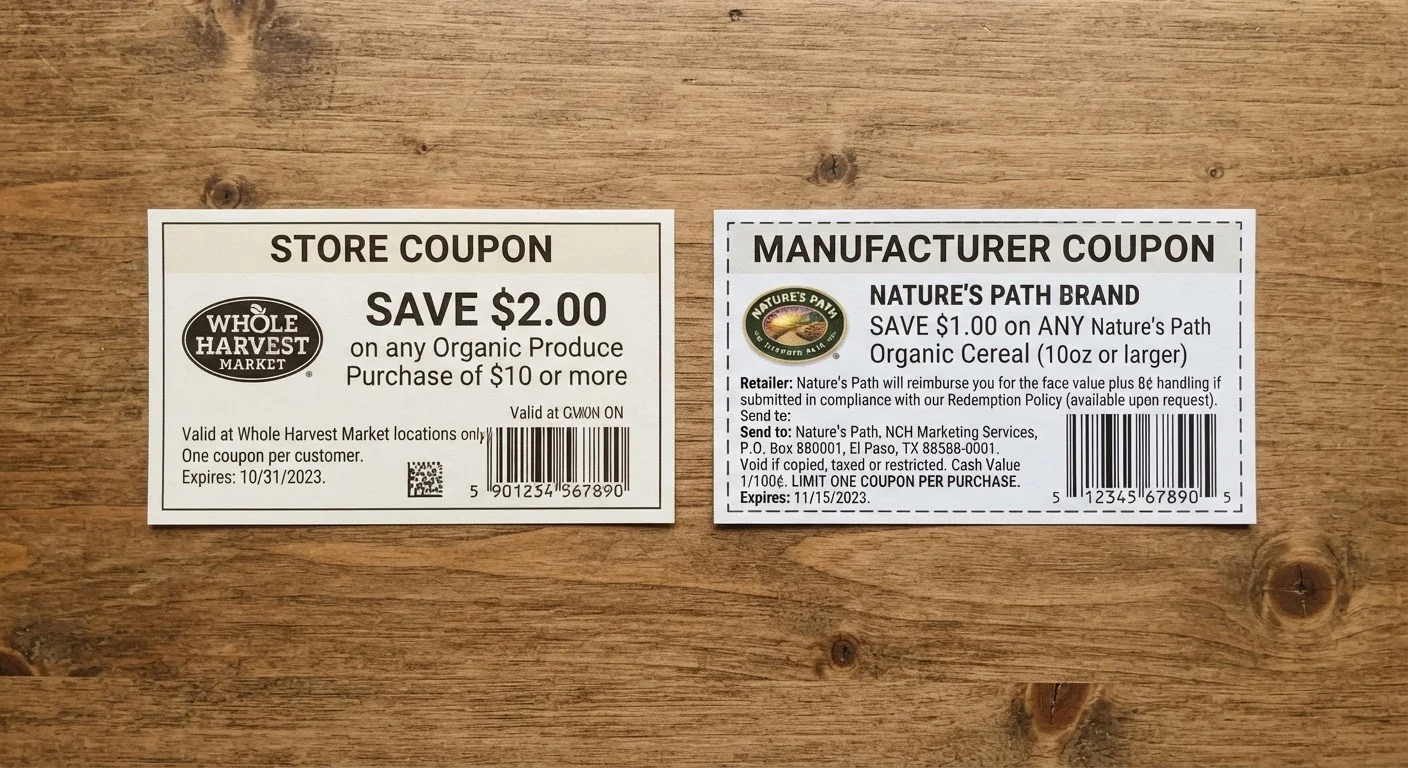
The most important distinction isn't the discount amount - it's who issues and funds the coupon. A retailer coupon is created and backed by the store (think a grocery chain or mass-market retailer). A manufacturer coupon is created and reimbursed by the brand whose product is on the label. When a store accepts a manufacturer coupon, it sends it to a clearinghouse and gets reimbursed by the brand - the store isn't absorbing that cost.
This financial structure matters because it directly controls where each coupon can be used. Manufacturer coupons are designed to travel - most are accepted at any retailer that carries the product. Retailer coupons are anchored to a single store's ecosystem and have no value elsewhere. For a deeper look at how coupons fit alongside other savings tools, see how coupons compare to promo codes and cashback.
Stacking Rules: Where the Real Savings Live
Most major retailers follow a policy that allows one manufacturer coupon and one store coupon per item in the same transaction. This is the core of coupon stacking - legally combining two discounts on the same product. For example: a store runs a $1.50 off coupon on a specific laundry detergent, and a manufacturer coupon offers $1.00 off the same product. Used together at that store, the shopper captures $2.50 in discounts before any sale price or cashback.
Not every retailer permits stacking, and policies change. Some store apps automatically apply both coupon types; others require manual entry. Always check a store's current coupon policy - typically found in their app or website FAQ - before building a strategy around it. Once you've mastered the basics of stacking coupon types, the logical next step is adding cashback on top: stacking coupons and cashback on the same purchase explains how to do that without voiding either discount.
Double-Check the Store's Coupon Policy First
Stacking eligibility isn't universal - it's set by each retailer independently. Before planning a trip around stacking both coupon types, pull up the store's current coupon policy page or call their customer service line. Policies can change with little notice, especially around promotional periods. Verifying once per store saves you from discovering a policy change at the register.
Key Differences at a Glance
The table below summarizes the practical attributes that affect how each coupon type functions in real shopping scenarios.
| Retailer Coupons | Manufacturer Coupons | |
|---|---|---|
| Who issues it | The store (e.g., grocery chain, big-box retailer) | The product's brand or manufacturer |
| Who absorbs the cost | The retailer | The manufacturer (via clearinghouse reimbursement) |
| Where it can be used | Only at the issuing store | At any retailer that accepts it |
| Stacking with the other type | Yes, typically combinable with one manufacturer coupon | Yes, typically combinable with one retailer coupon |
| Digital availability | Store app or loyalty account | Brand sites, coupon apps, newspaper inserts |
| Barcode prefix (US physical coupons) | Typically starts with '9' | Typically starts with '5' |
Where to Find Each Type and How to Verify Them
Manufacturer coupons appear in several places: brand websites, Sunday newspaper inserts (still distributed in many markets), in-box inserts, and coupon aggregator apps. They carry a barcode that encodes the product requirements and discount amount - a cashier's scanner reads this directly.
Retailer coupons live in store apps, loyalty program dashboards, weekly circulars (print and digital), and occasionally in direct-mail mailers. Clipping a digital version to your loyalty account is the most reliable way to ensure it applies at checkout without paper handling.
One practical verification step: look at the barcode prefix on a physical coupon. Manufacturer coupons in the US typically start with a "5" under the GS1 standard, while store-issued coupons use a "9" prefix. This quick check helps you identify the coupon type before you're at the register. For more on how digital formats have changed the grocery coupon landscape specifically, grocery couponing in the digital age walks through the full app-and-loyalty-card workflow.
Common Pitfalls to Avoid
A few missteps consistently trip up even experienced coupon users:
- Size and variety mismatches: Manufacturer coupons often specify exact product sizes or varieties. Using one on a different size - even a larger one - can cause it to be rejected at the register or flagged during processing.
- Expired digital coupons: Some store apps keep expired clips visible without marking them clearly. Review clip dates before checkout rather than assuming all visible coupons are valid.
- Cashback conflicts: Certain cashback portals or rebate apps have terms that exclude transactions involving coupon codes or reduce the rebate amount. situations where coupons and cashback genuinely don't mix covers the specific scenarios where stacking backfires.
- Assuming all retailers honor manufacturer coupons equally: Some stores have restrictive policies - for example, limiting manufacturer coupon values to the item's shelf price or excluding certain product categories.